Security Isn’t a Checkbox – It’s the Whole List
Most teams treat security like that salad you order to look healthy, only to leave untouched when the burger arrives. Integrating DevSecOps for end-to-end security automation isn’t just another tool. It’s a mindset shift, a process overhaul, and the difference between surviving and starring in the next “massive breach” headline.
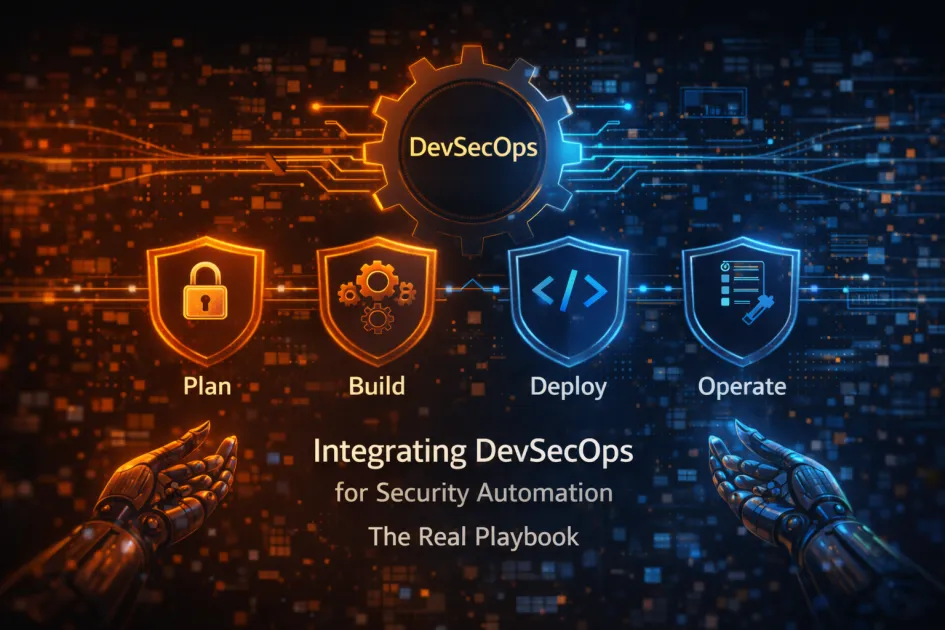
Integrating DevSecOps for end-to-end security automation means embedding security checks, controls, and monitoring into every stage of the software development lifecycle, from planning and coding through deployment and maintenance, ensuring threats are caught and fixed before they become disasters.
DevSecOps – What It Is (and Why You Should Care)
Let’s skip the dictionary recital. DevSecOps is the practice of bringing together development, security, and operations to bake security into every step of your CI/CD pipeline. Gone are the days when security meant “throw it over the wall and hope for the best.” Now, it’s everyone’s problem – especially yours.
Here’s the breakdown:
- Development teams build features fast. (Too fast, sometimes.)
- Security pros try to keep up, often without context or cooperation.
- Ops folks just want uptime and sanity.
DevSecOps glues all this chaos together with automated security controls, vulnerability scanning, threat intelligence, and continuous feedback loops. The goal? Ship code that isn’t a security dumpster fire.
Key terms you’ll see:
- Continuous Integration (CI): Regularly merging code changes and running tests automatically.
- Continuous Delivery (CD): Automating deployments – so your “works on my machine” excuse is officially dead.
- Static Application Security Testing (SAST): Scanning source code for vulnerabilities before it ever hits production.
- Dynamic Application Security Testing (DAST): Testing running applications for holes attackers love.
- Container Security: Locking down Docker, Kubernetes, and whatever else you’re using to avoid “oops, root access for everyone.”
How to Actually Integrate DevSecOps
Enough theory. Here’s how you can make this work before your next major incident. Spoiler: it’s not just “install this tool and pray.”
- Build Security into the Pipeline
- Add SAST and DAST tools into your CI/CD pipeline. Don’t make security a separate phase – if your tests fail, the build fails. Simple.
- Tools like SonarQube, Snyk, and Aqua Security are popular for a reason – they catch a ton before it’s too late.
- Automate Everything Humanly Possible
- Manual reviews? Sure, for critical stuff. But let automation handle the grunt work: dependency checks, secrets scanning, compliance validation.
- Set up automated patch management and infrastructure-as-code (IaC) scanning. Terraform or Ansible scripts shouldn’t sneak in vulnerabilities.
- Shift Left (But Not Off a Cliff)
- Start security checks early – right from code commit. Yes, it slows things down, but not as much as a data leak does.
- Train developers on secure coding, so they stop hardcoding passwords or copying Stack Overflow’s worst advice.
- Monitor Everything, Fix Fast
- Set up real-time monitoring and log aggregation. Use security information and event management (SIEM) tools for incident response.
- Don’t ignore alerts – treat every warning like it’s trying to ruin your weekend. Because it probably is.
What Does a Real DevSecOps Pipeline Look Like?
| Stage | Security Automation | Tools |
|---|---|---|
| Code Commit | Secrets scanning, code linting | Git hooks, TruffleHog |
| Build/Test | SAST, dependency checks | SonarQube, Snyk |
| Deploy | Container scanning, IaC validation | Aqua Security, Checkov |
| Runtime | Log monitoring, anomaly detection | Splunk, Datadog, ELK Stack |
Why DevSecOps Matters (a Lot More Than You Think)
If you think security automation is just about ticking boxes, you’re missing the point. Here’s what actually changes when you get this right:
- Fewer Late-Night Incidents: Automated detection means you catch issues before attackers do. Enjoy your sleep (or at least fewer 3am war rooms).
- Faster Releases, Less Paranoia: With automated security testing baked in, releases move faster and nobody’s left wondering, “Did we check for that one thing?”
- Harder for Bad Actors: Automated controls mean attackers have to work harder. Make them sweat, not your users.
- Compliance Doesn’t Suck as Much: Auditors love trails. Automated scans and logs make your next audit way less painful.
Common Pitfalls (and How to Dodge Them)
- Overcomplicating Everything: Don’t add tools just to look busy. Integrate only what solves real problems.
- Ignoring Developer Experience: If your security checks are too intrusive, developers will find ways to bypass them. Make it easy to do the right thing.
- Underestimating Culture: Tools are great. Culture is everything. If security is still “someone else’s job,” you’re doomed.
- Zero Feedback Loops: If failures don’t get to the right people fast, nothing improves. Automate notifications and make fixing issues part of the process, not an afterthought.
Best Practices for Real-World Security Automation
- Use version control for everything – code, configs, even policy as code.
- Keep secrets and credentials out of repositories. Use vaults, not Post-it notes.
- Review and update your threat models regularly. Attackers don’t stick to last year’s playbook.
- Invest in developer security training. Seriously, it’s cheaper than a breach.
FAQ
How is DevSecOps different from DevOps?
DevOps focuses on speed and collaboration for software delivery. DevSecOps adds security automation and controls at every stage, so you don’t trade speed for vulnerability.
What tools are essential for DevSecOps automation?
Start with SAST (like SonarQube), DAST, secrets scanners, container security platforms (Aqua, Prisma Cloud), and a good SIEM. Don’t go overboard; pick tools that fit your stack.
Can you automate compliance checks in DevSecOps?
Yes. Use tools that validate code and infrastructure against compliance frameworks (like CIS benchmarks). Automation means you’re always audit-ready, not scrambling once a year.
Is DevSecOps only for cloud-native or Kubernetes setups?
No. While containers and cloud make some things easier, the DevSecOps mindset applies to anything with a CI/CD pipeline – on-prem, hybrid, or in the cloud.
What’s the biggest mistake teams make with DevSecOps?
Buying every tool under the sun and hoping for magic. Focus on people, process, and the right automation – tech alone won’t save you.
Wrapping Up | Make Security a Habit, Not a Hassle
Integrating DevSecOps for end-to-end security automation isn’t optional. It’s the bare minimum if you want to avoid being the next cautionary tale. Start small, automate what matters, and don’t treat security like a leftover chore.