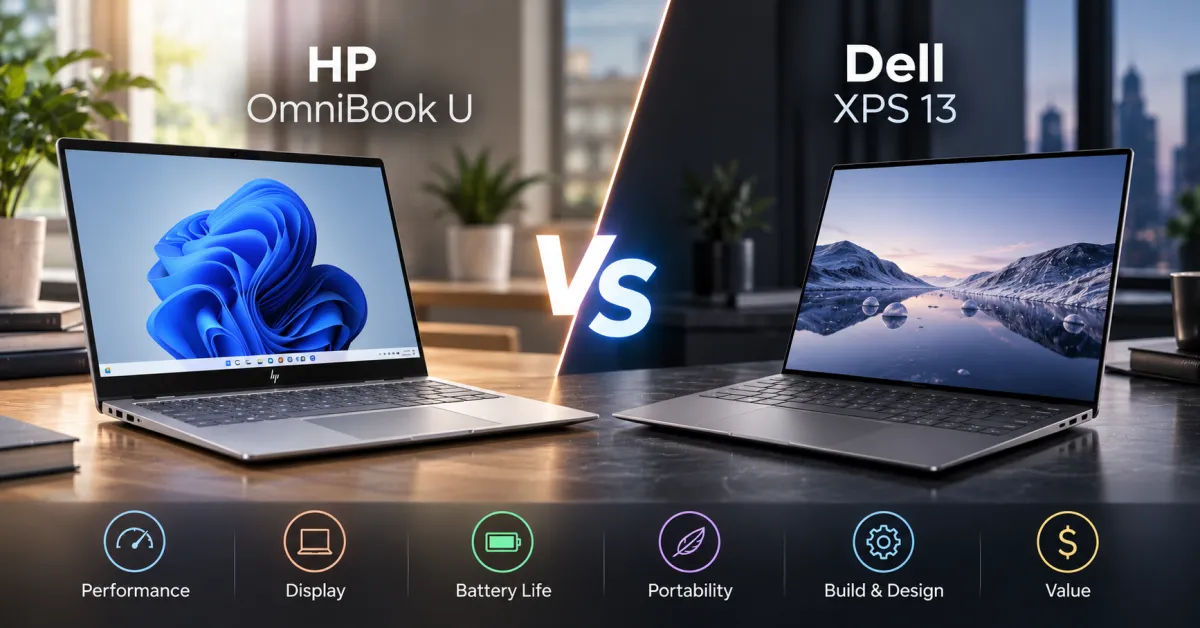
You’re looking at dropping serious cash on a laptop, and you’ve narrowed it down to two heavy hitters – the HP OmniBook U and the Dell XPS 13. Both promise premium build quality, solid performance, and the kind of design that makes people ask what you’re working on. But they’re not identical, and the differences matter depending on what you actually do.
Here’s the quick answer – the Dell XPS 13 wins on raw performance and display quality, while the HP OmniBook U offers better battery life and a more understated design. Your choice depends on whether you prioritize speed and screen real estate or portability and all-day endurance.
Design and Build – What You’re Actually Carrying Around
The HP OmniBook U is aggressively minimal. It’s thin, light (starting around 2.75 pounds), and comes in colors that don’t scream “look at my expensive laptop.” The aluminum chassis feels solid without being unnecessarily thick, and the keyboard deck has that satisfying rigidity you want when you’re working at coffee shops or airports.
Dell’s XPS 13 is the design icon here – it’s been refined over years, and it shows. The InfinityEdge display bezels are genuinely narrow, the machined aluminum feels premium, and it weighs about the same as the OmniBook. But here’s the thing – the XPS 13 looks like a flagship laptop. If you care about blending in, that matters.
Both machines have excellent trackpads and keyboards that won’t make you want to throw them out a window. The OmniBook’s keyboard is slightly more travel-friendly with a bit more key spacing, while the XPS 13’s feels tighter and more responsive. Neither is a dealbreaker either way.
Performance – What Actually Happens When You Work
This is where things get clearer. The Dell XPS 13 typically ships with Intel’s latest Core Ultra processors (or older 13th-gen Intel chips depending on the model), while the HP OmniBook U uses Snapdragon X series processors – ARM-based chips that are newer but less proven in the Windows ecosystem.
For traditional workloads – coding, writing, light video editing, running multiple browser tabs – both handle themselves fine. The XPS 13 has a slight edge in raw CPU performance and better compatibility with legacy software. The OmniBook U’s Snapdragon chip is more efficient, which translates to better battery life, but you might hit compatibility issues with older applications or specialized software.
If you’re doing heavy lifting like video rendering, 3D modeling, or running complex data science workflows, the XPS 13 is the safer bet. For everyday professional work and content creation, the OmniBook U holds its own and then some.
Display Quality – What You’re Staring At All Day
The XPS 13’s display is genuinely excellent. You get either a 13.3-inch FHD+ (1920×1200) or 3.5K (3456×2160) option with vibrant colors, excellent brightness, and minimal bezels. The 3.5K option is sharp enough to make text look crisp, though it does eat battery life.
The OmniBook U offers a 14-inch display with a 16-10 aspect ratio, which gives you more vertical space for documents and code. The screen is bright and accurate, but it doesn’t have the same visual pop as the XPS 13’s OLED variants (if you go that route). The larger screen size is genuinely useful if you’re doing detailed work.
If display quality is your priority, the XPS 13 edges ahead. If you want more screen real estate without the weight penalty, the OmniBook U’s 14-inch is the smarter choice.
Battery Life – How Long You Actually Work Unplugged
This is where the OmniBook U shines. Thanks to the Snapdragon X processor’s efficiency, you’re looking at 14-18 hours of real-world usage. That’s not marketing speak – that’s “you can actually leave your charger at home” territory.
The XPS 13 gets solid battery life – typically 10-13 hours depending on configuration and usage – but it’s not in the same league as the OmniBook U. If you’re constantly on the road or working from different locations, the OmniBook’s endurance is a genuine advantage.
Ports and Connectivity – What You Can Actually Plug In
Both laptops are thin, which means they made compromises on ports. The XPS 13 gives you two Thunderbolt 4 ports and a headphone jack. The OmniBook U offers two USB-C ports (with Thunderbolt support) and also includes a headphone jack.
For most people, this means you’re buying a USB-C hub regardless of which machine you choose. Neither is generous with connectivity, but that’s the price of thinness. If you need multiple ports without adapters, you’re looking at a different class of laptop entirely.
Price – What You’re Actually Paying
The HP OmniBook U starts around $1,199 for the base configuration. The Dell XPS 13 starts at roughly the same price, but climbs quickly if you want the higher-resolution display or better processor options. Both are premium machines with premium pricing.
The real question is value for your specific use case. If you need maximum battery life and can live with ARM-based processors, the OmniBook U is the better value. If you want proven Intel performance and a sharper display, the XPS 13 justifies its price.
Which One Should You Actually Buy?
Choose the HP OmniBook U if you’re constantly traveling, work primarily in the browser and cloud applications, and want battery life that doesn’t quit. The design is understated, the efficiency is real, and you’ll appreciate not hunting for outlets.
Choose the Dell XPS 13 if you run specialized software, need consistent high performance, or want the peace of mind that comes with Intel’s established track record. The display is better, the performance is slightly snappier, and you won’t worry about compatibility issues.
FAQ
Is the HP OmniBook U fast enough for coding and development?
Yes. The Snapdragon X processors handle development work perfectly fine. You might notice a slight difference compared to high-end Intel chips when compiling large projects, but for most developers, it’s not noticeable in daily work. The real advantage is battery life during those long coding sessions.
Does the Dell XPS 13 have better durability?
Both are built well. The XPS 13 has been around longer, so there’s more data on long-term reliability. The OmniBook U is newer, but HP’s build quality is solid. Neither is likely to fail on you, and both come with decent warranty options.
Can I run Windows software on the HP OmniBook U?
Yes, it runs full Windows 11. However, ARM-based processors can have compatibility issues with older or specialized software that wasn’t compiled for ARM architecture. Most mainstream applications work fine, but it’s worth checking if you use niche professional tools.
Which has a better keyboard for long typing sessions?
Both are excellent, but it’s personal preference. The OmniBook U has slightly more key travel, which some people prefer. The XPS 13’s keyboard is tighter and more responsive. Neither will cause fatigue during all-day writing sessions.
What’s the upgrade path if I need more power later?
Neither laptop is particularly upgradeable – they’re soldered together for thinness. Both are designed to last several years as-is. If you think you’ll need significant performance upgrades, consider your needs now and pick accordingly.
To Sum It Up
Both laptops are genuinely good. The OmniBook U is the smarter choice if battery life and portability matter most. The XPS 13 wins if you want proven performance and a premium display. Neither will disappoint you, but pick based on what you actually do, not what sounds impressive.