Cloud-Based vs. On-Premises DevOps – What You Actually Need to Know
Welcome to the DevOps showdown no one really wanted but everyone has to face. Do you surrender your precious infrastructure to the cloud overlords, or cling to your on-premises servers like a doomsday prepper who just discovered Docker? Here’s the answer upfront:
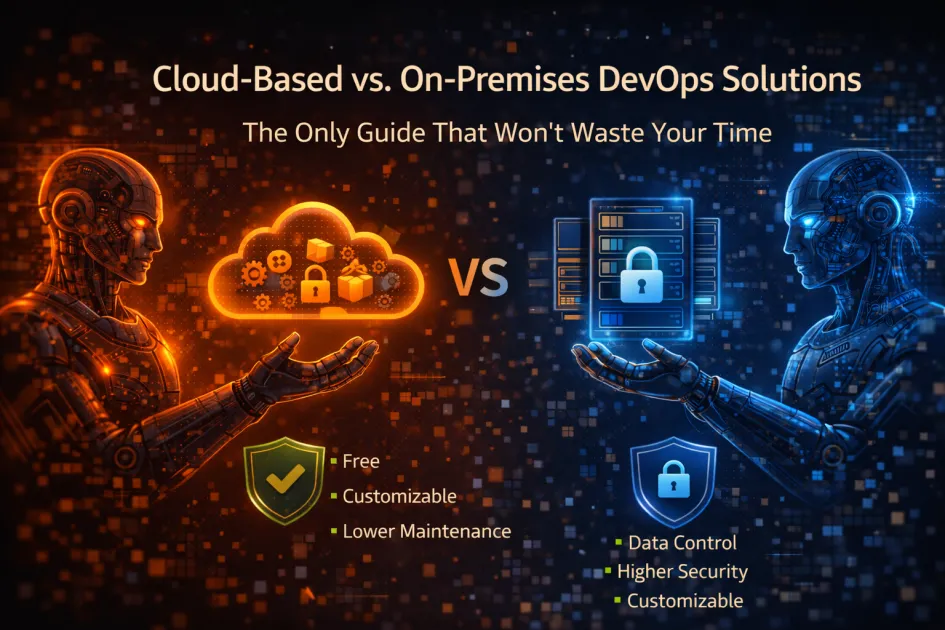
Cloud-based DevOps means your development tools, pipelines, and automation run on third-party (often public) infrastructure, while on-premises DevOps keeps everything in-house, using your own servers and network. The choice impacts security, cost, scalability, control, and how often you’ll want to bang your head on your desk.
DevOps in the Cloud vs. On Your Turf – What’s the Real Difference?
Let’s skip the dictionary definitions and get to the core. Cloud-based DevOps is about letting a provider (think AWS, Azure, Google Cloud) host your CI/CD pipelines, source control, monitoring, and fancy analytics dashboards. You access everything with a browser and a login. On-premises DevOps means you buy, plug in, and manage every server, firewall, and backup tape yourself. Everything runs inside your physical (or virtualized) walls – no external hosting.
Here’s what’s under the hood:
- Cloud-based solutions: Jenkins on AWS, GitHub Actions, GitLab CI/CD in the cloud, Azure DevOps, Google Cloud Build, Terraform Cloud, and those “managed Kubernetes” clusters everyone keeps bragging about.
- On-premises: Jenkins on your own iron, self-hosted GitLab, good old TeamCity, or homegrown scripts duct-taped to an ancient Dell server humming under your desk.
Both approaches handle source code management, continuous integration, deployment automation, and monitoring. But the way you patch, scale, and troubleshoot them? Night and day.
How Cloud-Based DevOps Actually Works (and Where It Breaks)
Want to move fast? Cloud-based DevOps is the express lane. You spin up new build agents with the click of a button, integrate with endless APIs, and let the provider sweat the infrastructure. That’s why startups, SaaS products, and AI projects love it. You pay monthly, skip hardware, and scale to infinity (or your budget, whichever explodes first).
But – no surprise – there’s a catch:
- Latency can be a pain if you’re running builds on massive datasets. Cloud providers don’t care how long your artifact upload takes.
- Compliance headaches if you’re in finance, healthcare, or run a government data center. “Where’s our data?” is a question auditors love to ask.
- Vendor lock-in is real. Once you’re knee-deep in proprietary APIs or managed services, good luck escaping without a rewrite.
- Costs creep up with scale – those “free tiers” evaporate fast, especially if your team loves spinning up ephemeral environments for every PR.
Cloud-based DevOps solutions excel at:
- Rapid scaling (think AI model training, Web3 project launches)
- Disaster recovery with minimal effort
- Global collaboration and remote teams
- Easy integration with cloud-native services (Kubernetes, serverless, managed databases)
On-Premises DevOps – Still Alive for a Reason
Why do some teams still hug their servers? Because sometimes control, privacy, and predictability matter more than convenience.
On-premises DevOps lets you:
- Keep source code, artifacts, and logs locked down. No “oops, it’s in the wrong cloud region.”
- Customize every tool, plugin, and networking rule – no vendor telling you “that’s not supported.”
- Meet strict compliance and data residency rules (looking at you, EU GDPR fans).
- Control costs (sort of) if you already have sunk investments in hardware or long-term contracts.
But let’s not sugarcoat it. On-premises DevOps is a beast to maintain:
- Updates, patches, and hardware failures are all your problem.
- Scaling up requires new servers, rack space, and – brace yourself – a bigger electricity bill.
- Remote access and collaboration? Welcome to VPN headaches and firewall gymnastics.
Still, for industries like banking, health, or when handling AI-powered security, on-premises is far from dead.
Cloud vs. On-Premises DevOps | The Comparison
| Feature | Cloud-Based DevOps | On-Premises DevOps |
|---|---|---|
| Deployment Speed | Minutes to hours | Days to weeks (or longer if Bob’s on vacation) |
| Upfront Cost | Low (subscription/pay-as-you-go) | High (hardware, licenses, setup) |
| Scalability | Easy, nearly limitless | Manual, hardware-dependent |
| Control | Limited (provider rules apply) | Total (until something breaks) |
| Compliance | Complex (depends on provider/location) | Direct, easier to audit |
| Maintenance | Provider’s problem | Your problem |
| Vendor Lock-In | High risk | Low risk |
When Should You Choose Cloud-Based DevOps?
- You need to get started fast and don’t want to assemble a server farm.
- Your team is remote, distributed, and allergic to VPN configs.
- You’re building for scale – AI, data science, VR/AR, Web3 apps with unpredictable workloads.
- Security and compliance hurdles are manageable or handled by the provider.
When Should You Stick With On-Premises?
- Your organization is regulated up to its eyeballs (finance, healthcare, government).
- You need total control over every bit and byte.
- You already own the hardware and have sysadmins who know the server room better than their living rooms.
- Cloud egress costs make your CFO weep.
Don’t Make These Mistakes When Deciding
- Chasing trends instead of needs: Don’t go cloud just because everyone else is. Match the solution to your workload and team realities.
- Ignoring hidden costs: Cloud bills can balloon fast. On-premises hardware needs replacing – eventually.
- Overlooking hybrid options: Sometimes, the answer is both: sensitive workloads stay on-prem, the rest goes cloud. Welcome to hybrid DevOps – now you get two sets of headaches!
- Not thinking about the exit plan: Migration is painful. Choose tools and platforms that support export/import, not just lock-in.
FAQ
Is cloud-based DevOps more secure than on-premises?
No, and yes. It depends – cloud providers invest heavily in security, but you lose some direct control. On-premises gives you full oversight, but only if you actually keep everything patched and monitored.
How much does on-premises DevOps really cost?
More than you think. Factor in hardware, software, power, cooling, people, and downtime. Cloud is “pay as you go,” but surprise billing happens. On-premises is big upfront, hopefully predictable after.
Can I mix cloud-based and on-premises DevOps tools?
Absolutely. Many teams run hybrid environments – cloud-based CI/CD with on-premises runners for sensitive workloads. It’s messy but sometimes necessary.
What’s better for AI and data science projects?
Cloud-based DevOps wins, unless you have a private GPU cluster and endless patience. Training models, scaling experiments, and sharing results is just easier in the cloud.
Are there good on-premises alternatives to cloud-native tools?
Yes, but expect more manual setup. Jenkins, self-hosted GitLab, TeamCity, and Artifactory all work on-prem. But you’re the IT department now.
Final Tip
Neither option is “better” by default. The best DevOps solution is the one that fits your team, budget, compliance needs, and actual tech stack. Ignore the marketing. Ask what you’re really optimizing for – speed, control, cost, or compliance. Then choose the headaches you prefer.