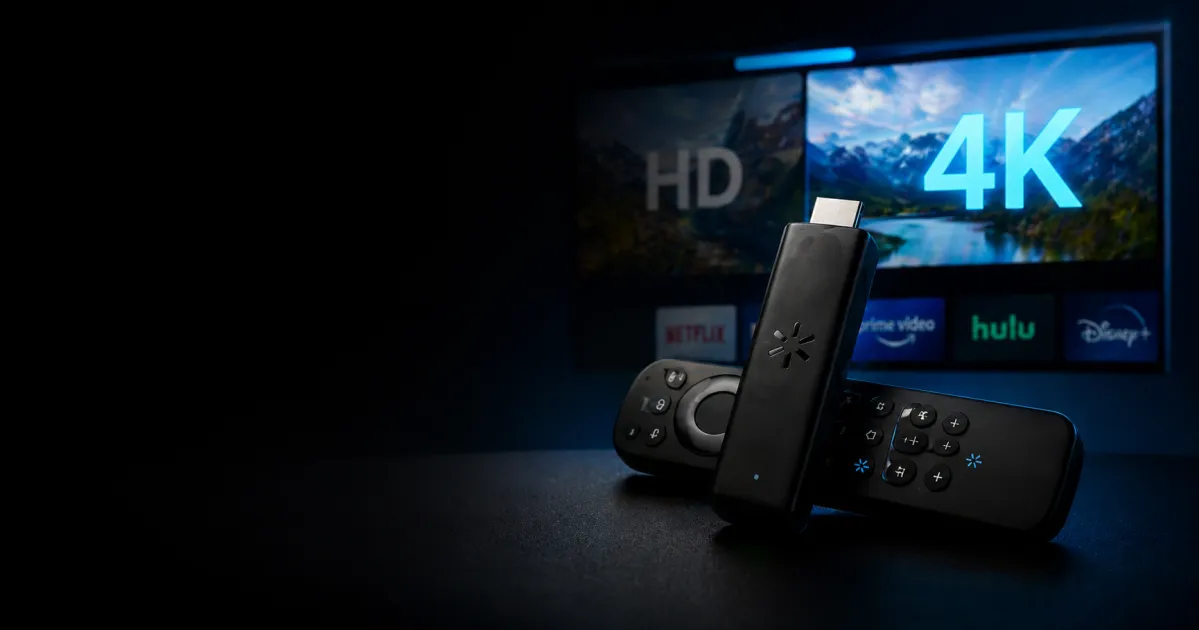
4K Streaming Stick vs HD Models | Is Walmart’s Premium Device Actually Worth It?
Walmart’s 4K streaming stick costs roughly 50% more than its standard HD counterpart. You’re looking at around $40-50 for the 4K model versus $25-30 for the basic HD version. The question isn’t really about the price difference though – it’s whether you’ll actually see that extra resolution on your TV and whether it matters enough to justify opening your wallet wider.
The short answer: it depends entirely on your TV and what you watch. If you have a 4K television and regularly stream movies or shows from services like Netflix, Disney+, or Amazon Prime Video, the 4K stick makes sense. If your TV is 1080p or smaller than 43 inches, save your money. If you mostly watch sports or cable news, the upgrade barely matters.
What You’re Actually Getting With 4K
Let’s be real about what 4K streaming actually delivers in your living room. A 4K streaming device outputs video at 3840 x 2160 resolution, which is four times the pixel density of standard 1080p HD. On paper, that sounds like a massive jump. In practice, it depends heavily on distance and screen size.
Sit more than 8-10 feet away from a 55-inch TV, and you won’t notice the difference between 1080p and 4K. Your eyes simply can’t resolve that level of detail at that distance. Sit closer on a larger screen – say 6 feet from a 65-inch TV – and 4K becomes noticeably sharper and more detailed. The image looks less pixelated, text is crisper, and fine details in landscapes or clothing textures appear more lifelike.
The real kicker: not all 4K content is created equal. Netflix’s 4K streams use heavy compression, which means they don’t look dramatically better than their 1080p versions. Disney+ and Amazon Prime Video do a better job with their 4K content, especially for their original films. YouTube’s 4K streams are inconsistent depending on the video source. If you’re mostly watching compressed streaming content, the visual upgrade feels less dramatic than jumping from a DVD to Blu-ray.
The Actual Performance Difference
Both Walmart’s 4K and HD sticks use similar processors and run the same operating system. Loading times are virtually identical. Apps launch at the same speed. The difference is purely in the video output capability and supported codecs.
The 4K model supports HDR (High Dynamic Range), which is arguably more important than the resolution bump itself. HDR makes bright areas brighter and dark areas darker while maintaining detail in both, creating more lifelike contrast and color depth. If your TV supports HDR – and most modern 4K TVs do – you’ll notice this improvement immediately. It’s the kind of thing that makes a scene look more cinematic and engaging.
The 4K stick also supports higher refresh rates for gaming and sports, which matters if you care about smooth motion. The HD model caps out at 60Hz, while the 4K version handles 120Hz on compatible content. For casual streaming, this won’t change your life. For sports fans or anyone who games through their streaming device, it’s worth considering.
When The 4K Upgrade Actually Makes Sense
Buy the 4K model if you have a 55-inch or larger 4K television and sit within 8 feet of it during normal viewing. If you’re a heavy user of Disney+, Apple TV+, or Amazon Prime Video’s original content, the upgrade pays dividends. Same goes if you watch 4K YouTube content regularly or use your streaming stick for gaming.
You should also consider the 4K option if you plan to keep the device for 3+ years. Streaming services are gradually shifting more content to 4K, so future-proofing matters. The extra $15-20 now prevents you from feeling like you made the wrong choice in two years when most premium content requires 4K support.
Skip the 4K upgrade if your TV is 43 inches or smaller, you sit more than 10 feet away, or you mainly watch cable news, sports broadcasts, and standard streaming content. The HD model will serve you perfectly fine. Also pass if you’re on a tight budget – the HD stick from Walmart handles 95% of what most people actually watch without any noticeable compromise.
What About Other Streaming Alternatives?
Walmart’s sticks compete directly with Amazon’s Fire TV devices, Google’s Chromecast, and Roku’s lineup. The Fire TV Stick 4K offers more features and better performance than Walmart’s 4K option, though it costs slightly more. Google’s Chromecast with Google TV is excellent for casual users but lacks some advanced features. Roku’s mid-range models split the difference and often offer better interface design.
Walmart’s 4K stick is competitive on price and performance, but it’s not the absolute best option available. It’s a solid middle-ground choice – good enough to do everything you need without breaking the bank, but not feature-rich enough to be the obvious winner in every category.
The Real Cost Analysis
The 50% price premium amounts to roughly $15-25 depending on current sales. That’s a one-time cost, not a monthly subscription. Spread across 3-4 years of ownership, you’re looking at $5 per year or less than 50 cents per month for the upgrade.
If that extra money gives you noticeably better picture quality on content you watch multiple times per week, the math works in favor of the 4K model. If you’re stretching your budget or uncertain about your setup, the HD version represents better value for money.
Common Questions About Walmart’s Streaming Sticks
Do I need a 4K streaming stick if my internet is slower than 25 Mbps?
Not really. 4K streaming requires at least 25 Mbps for Netflix and higher for other services. If your connection struggles to maintain that speed, the HD model is more practical. You’ll get better performance and fewer buffering issues with the lower bitrate HD streams.
Will the 4K stick work with my older non-4K TV?
Yes, it’ll downscale to 1080p automatically. You’re paying for capabilities you won’t use, which makes it a waste of money. Buy the HD version instead.
How long do these devices stay supported with updates?
Walmart typically supports its streaming devices for 4-5 years with software updates. Both the 4K and HD models get the same treatment, so this shouldn’t factor into your decision.
Can I return the 4K stick if I’m not happy with the picture quality?
Walmart’s return policy allows 15 days for returns on electronics. That’s enough time to test the device and see if the 4K upgrade justifies the cost in your specific setup. Use that window to your advantage.
Is the 4K model noticeably faster or more reliable?
No. Both models use essentially the same hardware and firmware. Speed and reliability are identical. The only differences are video output capabilities and supported formats.
The Bottom Line
Walmart’s 4K streaming stick is worth the 50% premium if you have a 4K TV larger than 55 inches, sit reasonably close to it, and watch services that actually offer quality 4K content. For everyone else, the HD model delivers 95% of the value for 70% of the cost. Don’t pay extra for features you won’t notice or use – that’s just money sitting in Walmart’s pocket instead of yours.
Check your TV’s size and resolution first. Measure your viewing distance. Think honestly about what you actually watch. Then make the call based on your specific situation, not general recommendations.
“`