
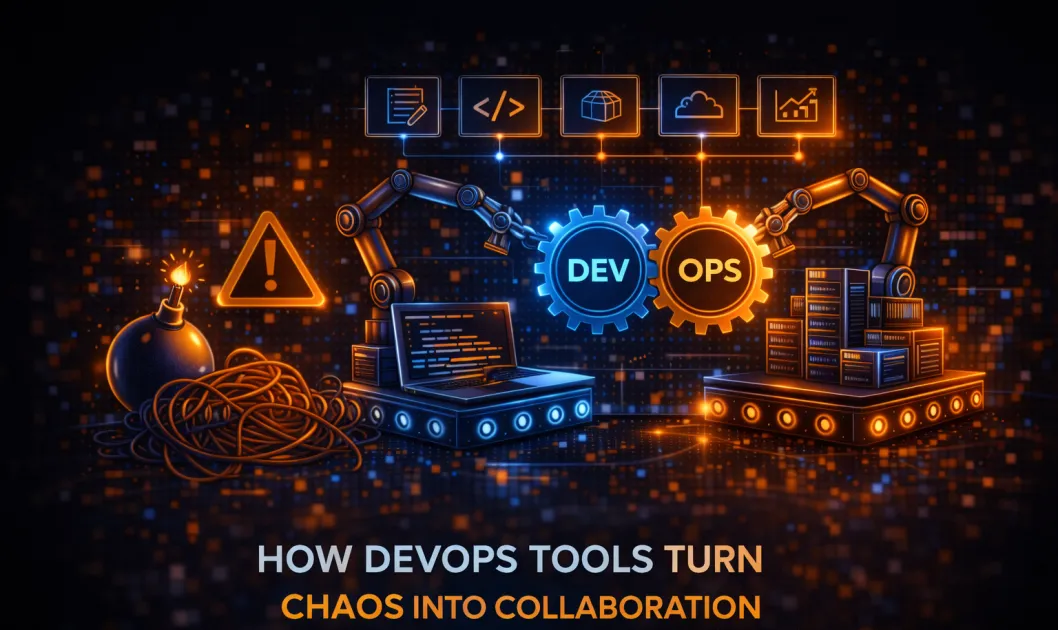
DevOps Tools | The Fix for Bickering Devs and Ops
If you think devops tools are just more dashboards and notifications, you’re missing the point. They’re the duct tape that keeps developers and operations teams from blaming each other when a deployment goes sideways. DevOps tools enhance collaboration between teams by automating communication, breaking down workflow silos, and making shared visibility the default, not the exception. You want teams that work together instead of yelling across ticket queues? This is how you get there.
What Are DevOps Tools, Anyway?
No, they aren’t magic wands. DevOps tools are a collection of software solutions that automate, monitor, and coordinate the software delivery pipeline. Think of them as the glue that connects your code repository, testing frameworks, deployment platforms, and monitoring tools into a coherent system. They include:
- Version control systems (like GitHub and GitLab)
- Continuous integration/continuous deployment (CI/CD) platforms (Jenkins, CircleCI, GitHub Actions)
- Configuration management (Ansible, Chef, Puppet)
- Container orchestration (Kubernetes, Docker Swarm)
- Collaboration platforms (Slack, Microsoft Teams, Jira)
- Monitoring and observability (Prometheus, Grafana, Datadog)
Each of these tools handles a specific part of the software lifecycle, but the real magic happens when they work together.
Definition Box
DevOps tools are software platforms and services used to automate, streamline, and monitor the collaboration between software development and IT operations teams.
How DevOps Tools Bridge the Gap Between Teams
Here’s the painful truth: Developers and operations people rarely see eye to eye. Devs want to ship features fast. Ops want stability and no late-night alerts. Enter DevOps tools – your peace treaty negotiators in a world of endless blame games.
1. Breaking Down Silos With Shared Visibility
Ever seen a team launch something and then claim, “Worked on my machine!”? With shared dashboards and integrated monitoring, everyone sees the same data in real time. No more hiding behind logs only one team can access. Suddenly, debugging becomes a team sport instead of a blame Olympics.
2. Automating the Boring Stuff
Manual handoffs are where collaboration dreams go to die. CI/CD tools automate builds, tests, and deployments, so code flows from dev to prod without endless back-and-forth emails. Fewer mistakes, less finger-pointing, and fewer “urgent” meetings about why something broke at 2 AM.
3. Standardizing Workflows
DevOps tools force everyone to play by the same rules. Infrastructure-as-code means ops scripts are version-controlled like the rest of the codebase. Code reviews and automated testing pipelines make sure nothing slips through the cracks. Everyone works off the same playbook – imagine that.
4. Real-Time Communication
Chat integrations and ticketing systems (hello, Slack bots and Jira automations) make sure everyone stays in the loop. No more “I didn’t get the memo.” Alerts, PR requests, and incident updates land right where people actually look.
Benefits That Actually Matter (Not Just for Managers)
- Faster Deployments – No more waiting days for someone to approve a release. Automation speeds things up – if you can handle it.
- Lower Failure Rates – Standardized, automated tests mean fewer bugs sneak into production. That means fewer “war rooms.”
- Happier Teams – Less late-night firefighting, more actual problem solving. Both dev and ops get their weekends back (for now).
- Consistent Environments – Containers and infrastructure-as-code mean your code runs the same everywhere. No more “it only broke in staging.”
- Better Security – Automated security scans and audit trails keep everyone honest and reduce human error.
And yes, management gets their reports and pretty graphs. But the real value is that teams stop treating each other as obstacles and start acting like, well, a team.
Actual Steps to Real Collaboration (Without the Corporate Kool-Aid)
- Pick the Right Tools – Don’t just grab whatever’s trendy. Choose tools your teams actually like and will use. If the UI makes people cry, skip it.
- Integrate Everything – Make sure your version control, CI/CD, ticketing, and alerting tools talk to each other. Siloed tools are barely better than none at all.
- Automate the Hand-offs – Set up automated pipelines so code, infrastructure changes, and emergency fixes flow smoothly from one team to another.
- Establish Shared Channels – Use chatops or shared dashboards. Put everything out in the open. If someone’s still emailing spreadsheets, intervene immediately.
- Review and Refine – Don’t set it and forget it. Regularly review your workflows, automate more, and kill what isn’t working.
| DevOps Tool | Main Benefit | Typical Use |
|---|---|---|
| Jenkins | Automates CI/CD pipelines | Build, test, deploy code |
| Docker | Consistent environments | Containerize applications |
| GitHub/GitLab | Collaboration & version control | Code reviews, issue tracking |
| Slack | Real-time communication | Alerts, team chat, incident response |
| Kubernetes | Orchestration at scale | Manage containers, deployments |
Common Problems and How to Dodge Them
- Tool Overload – Picking every shiny new tool is a recipe for confusion. Stick to what solves real problems.
- Poor Integration – If tools don’t talk, your “collaboration” is just more busywork.
- No Buy-in – If devs or ops hate the tool, they’ll ignore it. Get feedback before rolling out anything.
- Ignoring Security – Don’t let automation become a backdoor for vulnerabilities. Use automated security checks and audits.
Let’s be honest – no tool fixes bad culture. But the right stack at least gives you a fighting chance.
FAQ | DevOps Tools and Team Collaboration
How do DevOps tools help remote teams?
They provide a central place for code, communication, and monitoring. Everything is visible and accessible, no matter where you work from. No more “who broke what?” mysteries.
What’s the difference between DevOps tools and traditional IT tools?
DevOps tools are integrated, automated, and focused on collaboration and agility. Traditional IT tools are often siloed and manual, leading to miscommunication and delays.
Can you use DevOps tools in small teams?
Absolutely. Even two-person teams can benefit from automated pipelines and shared visibility. Start small, scale as needed.
Which DevOps tool is best for beginners?
GitHub Actions or CircleCI for CI/CD, Docker for containers, and Slack for communication. Simple, effective, and not overwhelming.
What’s the biggest mistake when adopting DevOps tools?
Thinking the tools will fix everything by themselves. Process and culture matter just as much as the tech stack.
Final Thoughts | Stop Blaming and Start Automating
DevOps tools won’t make your teams like each other – but they’ll at least get them working from the same playbook. Real collaboration starts when everyone can see, automate, and improve the same workflows. If you want deeper dives on the latest tech (with no sugar-coating), the newsletter goes even further.
Want to see how AI plays into modern DevOps and security? Check out this guide on AI-powered intrusion detection for smarter threat hunting.



