
Why Most DevOps Platforms Disappoint (And How to Spot a Good One)
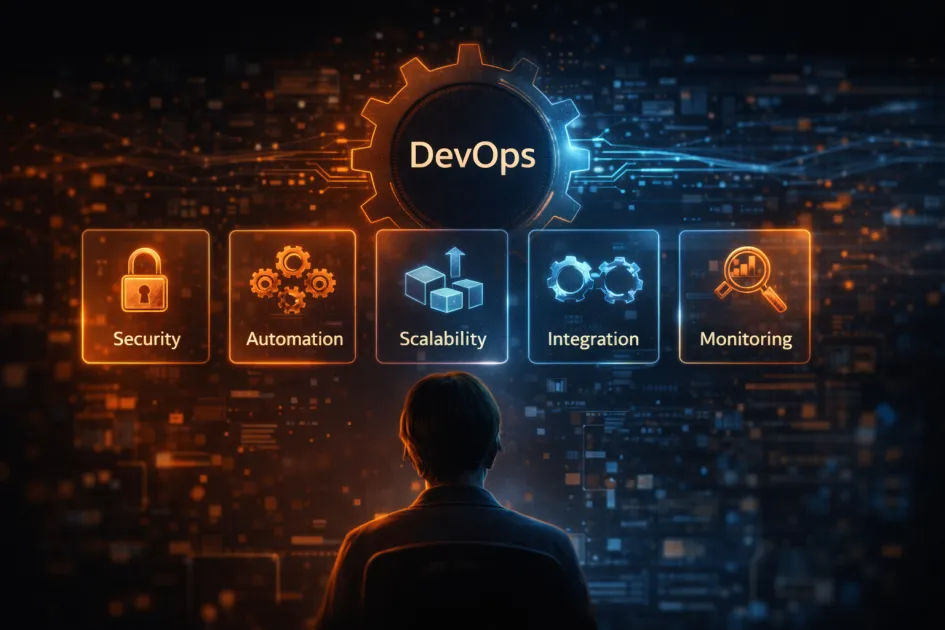
DevOps platforms are supposed to make your life easier, not become another headache. But most of them promise you the moon and deliver a dusty cheese wheel. The best DevOps platforms combine automation, security, collaboration, scalability, and visibility in a way that actually helps teams ship faster – without the usual chaos. If you’re tired of trial and error, let’s break down what separates the real deal from the marketing noise.
What Is a DevOps Platform, Anyway?
A DevOps platform is a unified toolkit that handles software development, deployment, and operations in one place. It glues together source control, continuous integration, automated testing, infrastructure as code, monitoring, and team collaboration. The goal? Ship updates rapidly, fix issues before they land in production, and avoid the “it worked on my machine” blame game.
Think of it as your command center for everything from code commits to automated rollbacks – if it’s not making your workflow smoother, it’s just another clunky dashboard.
Key Features to Look for in DevOps Platforms
Most platforms claim to “streamline your workflow” or “accelerate digital transformation.” Ignore that. Here’s what actually matters:
1. End-to-End Automation
Look for: Automated build, test, and deployment pipelines you can tweak without learning a new scripting language. If it takes more than an hour to set up CI/CD, you’re already losing.
- Continuous Integration (CI): Easy triggers from version control (GitHub, GitLab, Bitbucket) with clear feedback.
- Continuous Deployment (CD): Rollback support, blue-green deployments, and integration with container orchestration (Kubernetes, Docker Swarm).
- Infrastructure as Code (IaC): Built-in support for Terraform, Ansible, or native templating tools.
2. Security You Don’t Have to Fight With
Security audits shouldn’t be afterthoughts. Good platforms bake in vulnerability scanning, secrets management (not hardcoded in YAML files, please), and role-based access controls.
- Automated code scanning: Spot issues before they’re merged.
- Audit trails: Know who did what, and when.
- Secrets management: Integrate with vaults (HashiCorp Vault, AWS Secrets Manager) and never see a password in plain text again.
3. Real Collaboration Tools (Not Just Another Chat)
If your “collaboration” is just a Slack notification, congratulations – you’ve built 2014. Look for shared dashboards, integrated code reviews, and feedback loops that don’t require switching tabs every five minutes.
- Built-in code review: Inline comments, merge requests, and automated approvals.
- Unified notifications: Connects with tools you already use (Jira, Trello, Asana, ServiceNow).
- Knowledge sharing: Wikis, runbooks, and searchable history that’s not buried in email threads.
4. Scalability and Flexibility
You don’t want to re-platform every time your team grows. Choose a solution that scales with your workloads and adapts to cloud-native, hybrid, or on-prem environments.
- Cloud integration: Native support for AWS, Azure, GCP, or whatever flavor of cloud you’re running (even if it’s “just a guy named Bob’s server under his desk”).
- Multi-cluster orchestration: Manage clusters and environments without losing your mind.
- Custom hooks and plugins: Extend the platform as your stack evolves – nobody’s stack stays the same for long.
5. Visibility and Observability (So You’re Not Flying Blind)
Integrated dashboards, logs, and alerts mean you know what’s breaking – before your users do. If you’re still SSH-ing into servers to tail logs, it’s time to move on.
- Real-time monitoring: Track deployments, infrastructure health, and user impact from one place.
- Actionable alerts: Not just “something broke,” but what broke, where, and why.
- Audit logs: Complete history of changes, not just a vague “updated by admin.”
Common DevOps Platform Mistakes to Avoid
- Overcomplicating pipelines: If your config files need their own wiki, you’ve missed the point.
- Ignoring cost controls: The “free trial” turns into a mortgage payment when you scale up. Watch out for sneaky billing models.
- Underestimating vendor lock-in: Pick solutions with open APIs and export options. Don’t get trapped.
- Not testing disaster recovery: If you can’t recover from a botched deployment in minutes, you’re gambling with downtime.
DevOps Platform Features Cheat Sheet
| Feature | Why It Matters | What to Demand |
|---|---|---|
| Automation | Removes manual steps, saves hours | Visual pipeline editor, rollback, IaC support |
| Security | Protects code, users, and compliance | Automated scans, secrets vaults, RBAC |
| Collaboration | Reduces friction, speeds feedback | Code reviews, shared dashboards, integrations |
| Scalability | Handles growth and changing needs | Cloud/hybrid support, plugins, clustering |
| Observability | Finds problems before users do | Unified logs, real-time alerts, audit trails |
FAQ | Real Questions About DevOps Platforms
What’s the difference between a DevOps platform and a bunch of separate tools?
A DevOps platform unifies your workflow, so you don’t have to glue together ten different services, manage endless integrations, or pray your scripts don’t break with every update.
Do I need to be a cloud expert to use these platforms?
No. The best ones hide cloud complexity behind simple interfaces and sane defaults. If you need a certification to deploy a test app, pick something else.
Can DevOps platforms handle AI or data science workflows?
Absolutely. Modern platforms support containerized workloads, GPU scheduling, and pipeline automation for machine learning models – just don’t expect it out of the box everywhere.
How do I pick between open source and commercial platforms?
Open source gives flexibility, but you’ll trade time for money. Commercial options often have better support and integrations – at a price. Decide if you want to tinker or just get stuff done.
What’s one feature most teams overlook?
Audit logs and rollback. When things go wrong (and they will), being able to see exactly what changed and quickly undo it is worth its weight in coffee.
Final Thoughts
Most DevOps platforms look shiny until you try to use them in the real world. Don’t buy into the hype – demand automation, security, actual collaboration tools, and visibility that doesn’t require a PhD in dashboards.



