
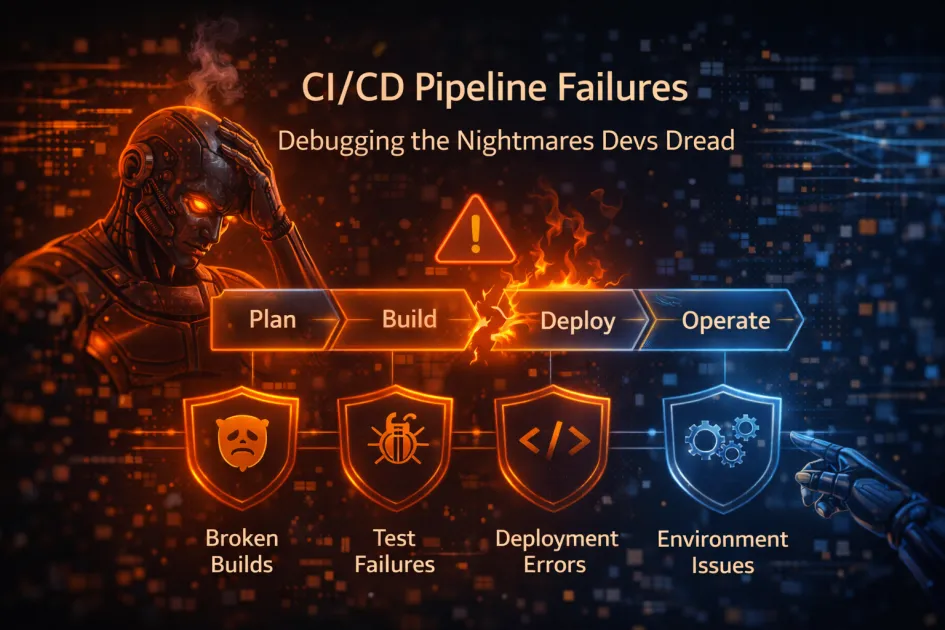
Where Your Code Breaks and Your Spirit Follows
Anyone who thinks continuous integration and continuous deployment (CI/CD) pipelines just “work” has never actually used one in production. The truth? CI/CD pipeline failures are those delightful moments when automation betrays you, builds collapse, and you’re left staring at cryptic logs wondering if you should’ve been a barista instead. Here’s how to stop pipelines from making your life miserable… or at least, how to fix them when they do.
CI/CD pipeline failures refer to any breakdown in the automated process that takes code from developers and delivers it to production. These failures can stem from code issues, infrastructure hiccups, misconfigured tools, or just plain bad luck.
What Really Causes CI/CD Pipeline Failures?
Let’s get into the real gremlins that bring your fancy DevOps dreams crashing down. A CI/CD process is a sequence of steps – source code management, build automation, unit testing, artifact packaging, deployment, and monitoring. At any point, something can (and usually will) go wrong.
- Broken Build Scripts – The classic. A typo in your YAML file and suddenly nothing compiles. Jenkins, GitHub Actions, GitLab CI, they all love to choke on a missing colon.
- Dependency Hell – Your pipeline needs Node.js 16 but gets Node.js 18. Or Maven can’t find that random artifact. Or Docker images mysteriously vanish from registries.
- Flaky Tests – Automated tests fail at random. You re-run the job and it passes. Now you get to play “Is it the code or just the cloud’s mood swings?”
- Environment Drift – “Works on my machine” syndrome at scale. Your staging environment doesn’t match production, so deployments explode in creative new ways.
- Misconfigured Secrets/Keys – The pipeline can’t clone a repo, upload a package, or talk to Kubernetes because somebody rotated a key and forgot to update the environment.
Let’s be honest – most pipelines fail because someone, somewhere, changed something and didn’t tell anyone. Blame “human error” if it helps you sleep.
How to Troubleshoot a CI/CD Pipeline Failure Without Losing Your Mind
There’s no magic button. But there is a process that works for most teams building with modern tools like Jenkins, CircleCI, GitLab, or GitHub Actions:
- Read the Logs. Yes, really. Start at the top. Look for the first red error, not the last one. Most pipelines spew hundreds of lines of noise; your culprit is likely buried in the first few lines of failure.
- Reproduce Locally. If possible, run the same build/test commands on your machine. If it fails, rejoice – it’s not the pipeline’s fault. If it works locally, check for environment differences.
- Check Version Pinning. Dependencies change, images update, pip installs fresh nightmares. Make sure you pin versions in your Dockerfiles, requirements files, and build configs. Unpinned dependencies are a common cause of “it broke overnight” drama.
- Validate Environment Variables. Missing or misconfigured secrets, API keys, or tokens are pipeline poison. Use your platform’s secret management, and double-check that the right variables are injected into every stage.
- Run Failing Steps in Isolation. Most CI services let you SSH into failed jobs. Use it. Manually rerun commands, poke around temp directories, and hunt down permission issues or missing files.
- Look for Recent Changes. If the pipeline worked yesterday, what changed? Check Git logs, recent merges, dependency updates, and infrastructure tweaks.
Common CI/CD Failure Types and Where to Look
| Failure Type | Likely Culprit | Where to Start Debugging |
|---|---|---|
| Failed Build Step | Syntax error, missing dependency, wrong path | Build logs, CI config, dependency list |
| Test Failures | Flaky tests, data setup, environment mismatch | Test output, test data, environment variables |
| Deployment Errors | Permissions, bad secrets, infra drift | Deployment logs, secrets config, cloud console |
| Timeouts | Network flakiness, resource starvation | Job time, resource usage, network logs |
Best Practices to Avoid CI/CD Pipeline Failures (Or At Least Minimize the Pain)
- Pin everything. Dependencies, base images, even the version of your CI runners. Don’t trust “latest” unless you like surprises.
- Keep pipelines short and sweet. Long pipelines break more, run slower, and eat up compute credits. Split big jobs into smaller, focused stages.
- Fail fast, fail loud. Configure your pipeline to stop at the first failure. Don’t let a broken build keep chugging along wasting resources.
- Isolate test data. Use disposable environments or mocks – shared state is the enemy of reliable automation.
- Document the weird stuff. If your build requires a moon phase or specific Java version from 1998, write it down. Future you will thank you.
- Use monitoring and alerting. Set up notifications for failed jobs. Better to be annoyingly informed than blissfully ignorant.
- Automate fixes when you can. Self-healing scripts, dependency caching, and retry logic can save hours of manual debugging.
Tools That (Sometimes) Make Troubleshooting Easier
You’ll want more than just hope and espresso. Here are tools that actually deliver:
- CI Platform Debugging (Jenkins Blue Ocean, GitHub Actions logs, GitLab Pipelines) – Use built-in log viewers and SSH access for hands-on debugging.
- Version Control Hooks – Pre-commit and pre-push checks catch issues before they even hit the pipeline.
- Artifact Storage (Artifactory, S3, Nexus) – Store and trace build outputs to spot what’s changed between runs.
- Infrastructure as Code Scanners (Terraform, Pulumi, Checkov) – Catch infra drift and misconfigurations before deploy time.
- Automated Test Reporters (Allure, JUnit, Mocha) – Visualize test failures and patterns across runs.
CI/CD Troubleshooting FAQ
Why did my pipeline suddenly start failing overnight?
Most likely, a new dependency version, expired secret, or infrastructure tweak broke your fragile chain of automation. Check recent merges and pinned versions first.
How do I debug a flaky test in CI?
Rerun the test multiple times locally and in CI. If it only fails in CI, look for environmental differences – missing resources, network latency, or race conditions.
What’s the best way to manage secrets in CI/CD?
Use your CI platform’s built-in secret manager. Never hardcode secrets in code or configs. Rotate regularly.
How do I avoid “works on my machine” disasters?
Containerize your builds with Docker, match your local and CI environments, and document OS/package versions.
Is there a way to make pipelines self-heal?
Add retry logic for known flaky steps, pin dependencies, and automate environment setup. But total self-healing? Keep dreaming.
Final Thoughts
CI/CD pipeline failures are the price we pay for automation. The good news? Each failure is a learning opportunity. The bad news? You’ll keep learning, forever.



